
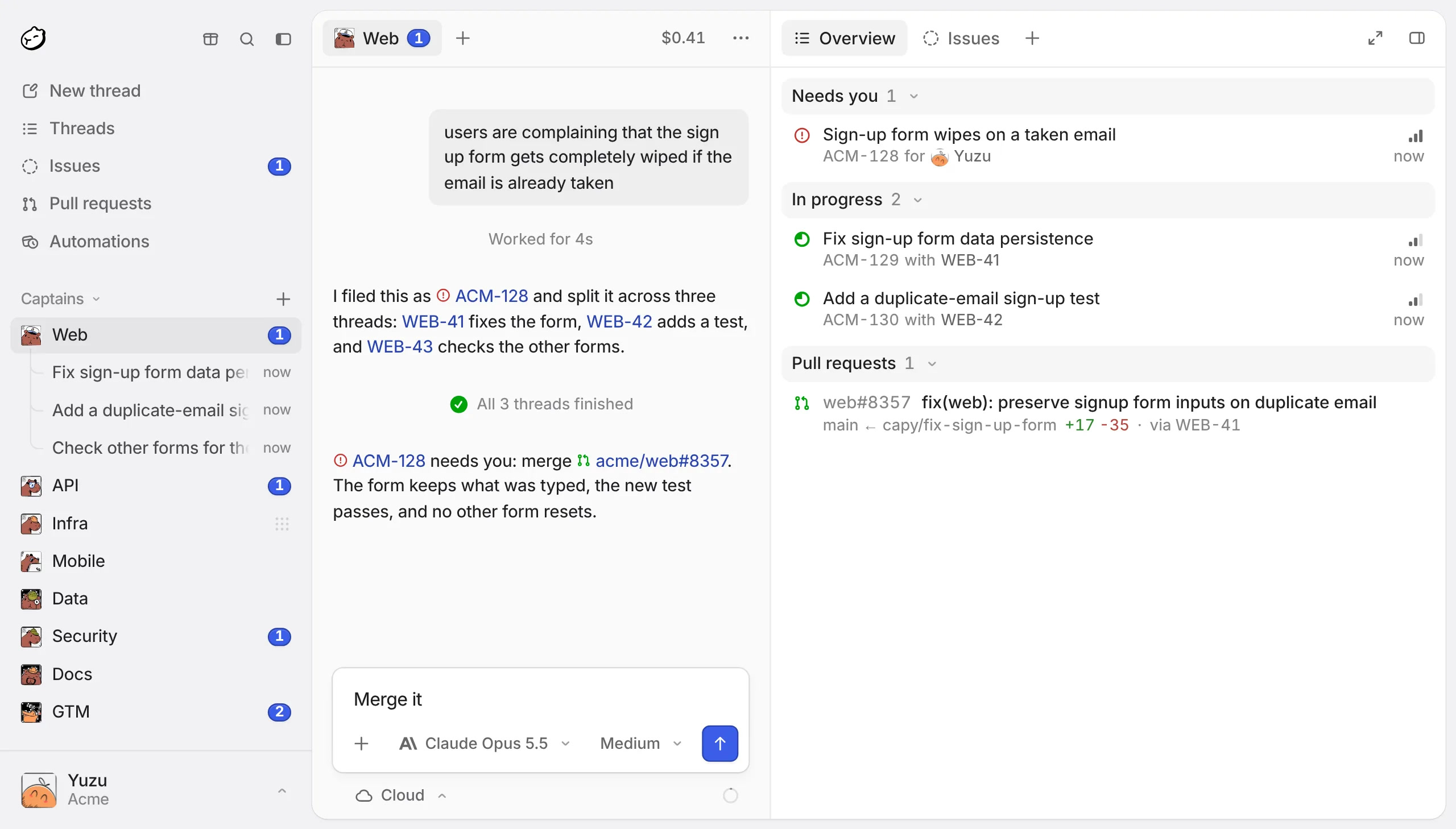
Capy is a coding agent you hand tasks to and come back to as pull requests. Each task is a thread with its own Linux machine in the cloud, so 10 threads can work on 10 features at once and keep going after you close the laptop. Capy opens the PR, fixes failing CI and review comments, and merges when you say so. The desktop app can also run threads on your own Mac, PC or Linux server.
What Capy is, and how it differs from a local ADE
- A machine per thread. Each cloud thread gets a Firecracker microVM with Ubuntu 24.04, sudo, Docker and a Chrome desktop streamed into the thread. Agents can run your app, your tests and your database without touching your laptop.
- It works while you're away. A thread wakes itself on CI results, review comments and merge conflicts, and keeps pushing fixes until the PR is green.
- The whole team sees it. Threads, Captains and PRs live in one workspace that everyone in the organization can open, and every plan includes unlimited members.
You can still bring the subscription you already pay for. Capy runs about 60 models from Anthropic, OpenAI, Google, xAI and open-weight labs, and connects to Claude Pro/Max, ChatGPT (Codex), GitHub Copilot and SuperGrok plans.
Main features
Threads
A thread is one conversation with one agent about one piece of work. You start it from New thread: pick the project, the model and where it runs, and describe the task.
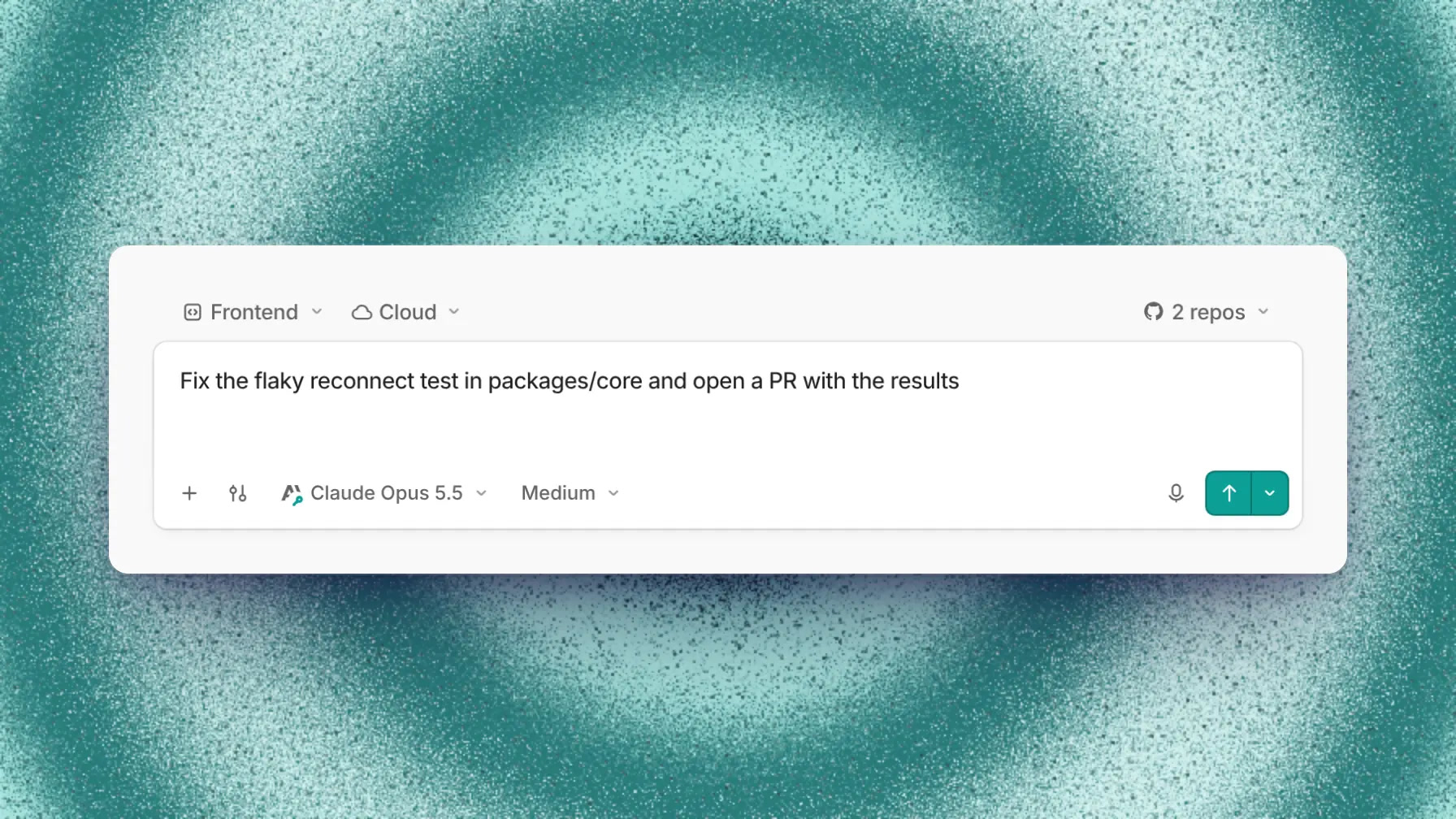
The sidebar shows every thread with its status: Working, Waiting (on CI or a review), Failed or Idle, plus a Needs you flag when the agent has a question. You can write to a thread while it works in 3 ways:
| Mode | Key | When the agent reads it |
|---|---|---|
| Steer | Enter | After its current step |
| Interrupt | Cmd/Ctrl + Enter | Right away, stopping the current step |
| Queue | Option/Alt + Enter | After the current turn ends |
A thread has tabs for Overview, Diffs, Files, Setup, Browser and its PRs, and since 0.8.0 you can split them into panes. Select text in a reply to Fork the thread, fork with a summary, or open a Side chat for a quick question that doesn't derail the main one.
Subagents
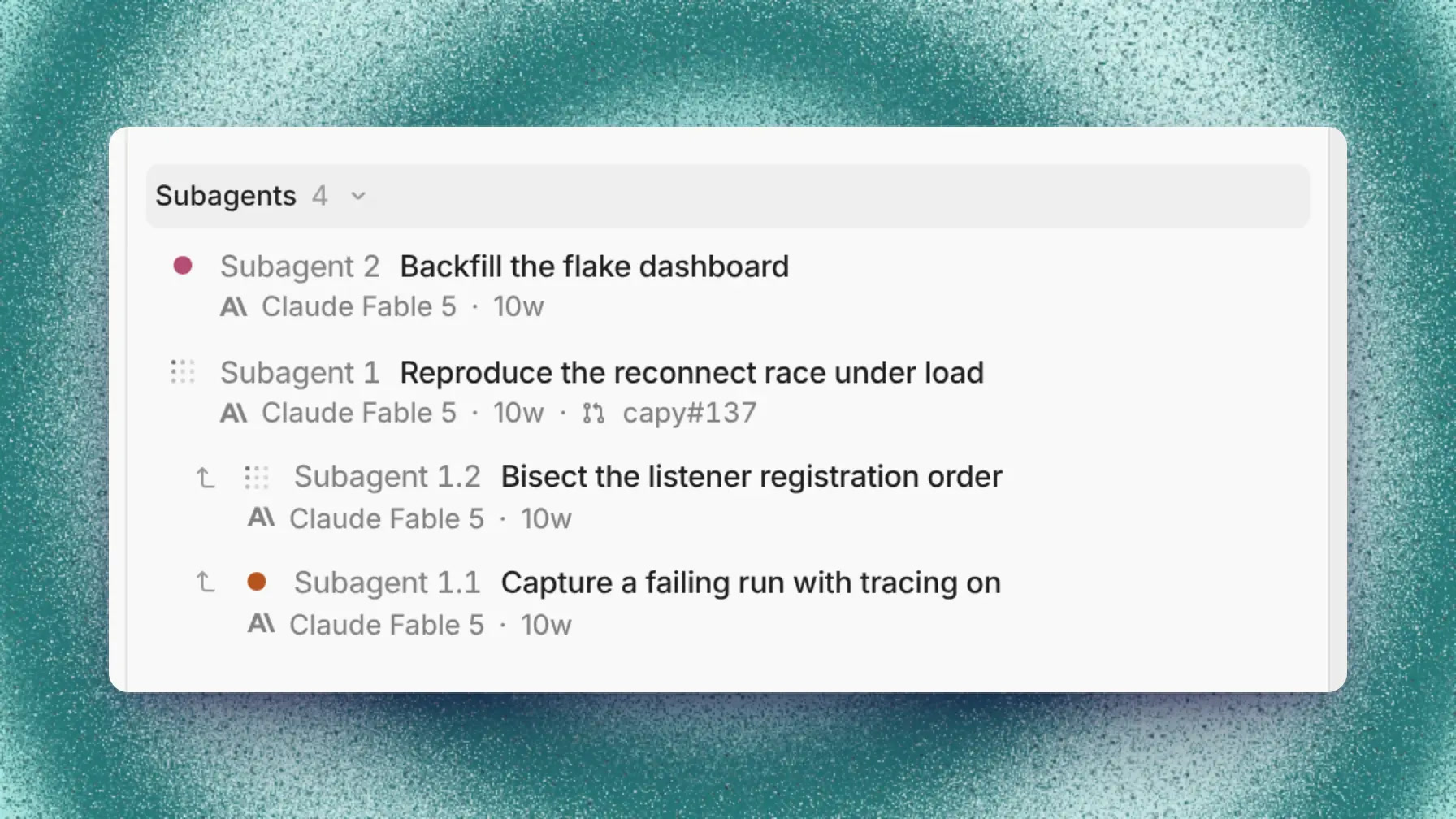
A thread can start subagents for parts of the job, nested up to 3 levels. A read-only subagent shares the parent's machine; one that writes code gets a fresh machine and can open its own PR. They run side by side or one after another, and each can use a different model.
Captains
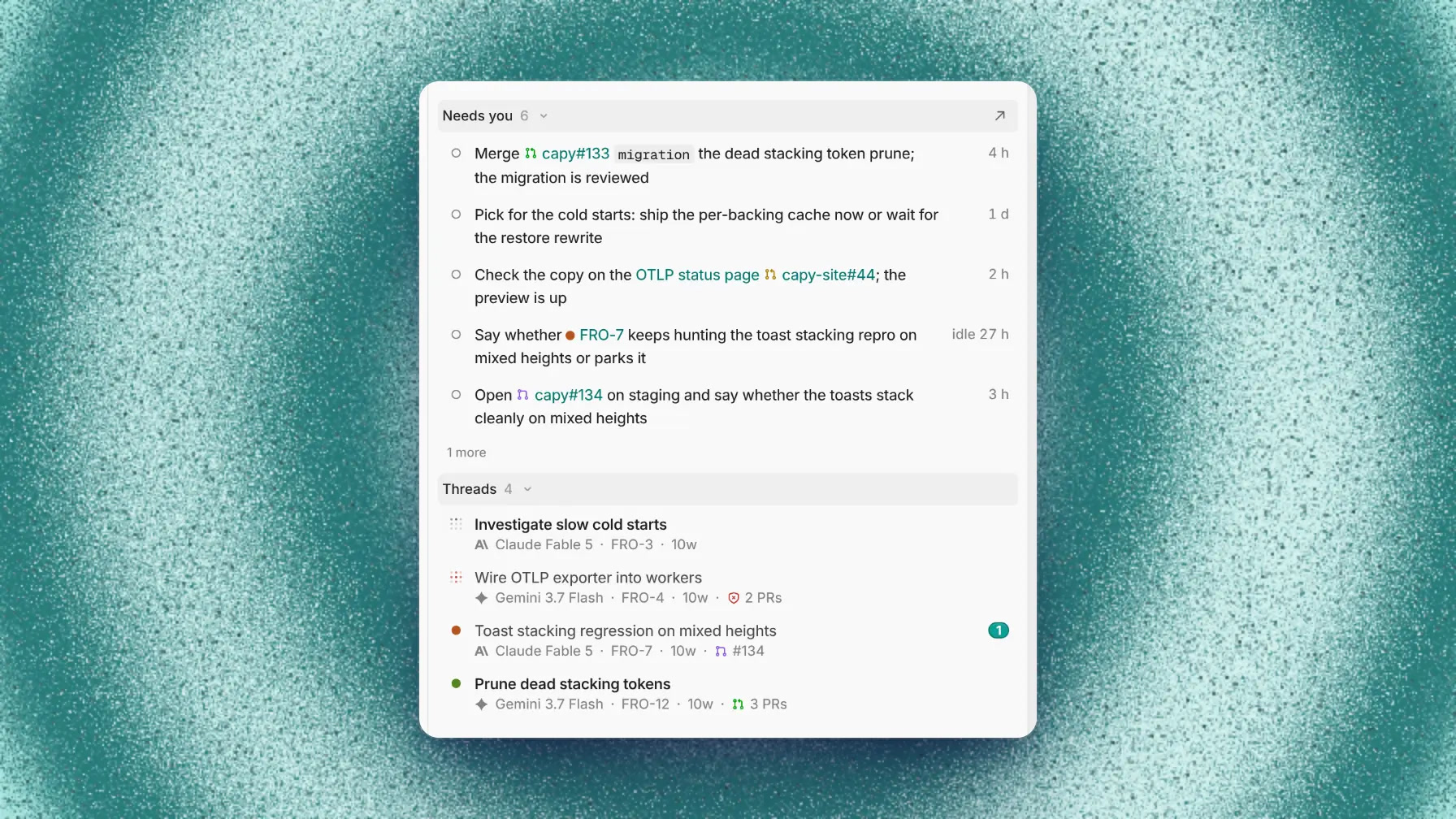
A Captain is a long-lived agent for work bigger than one thread: a feature that takes 8 PRs, the bug queue, an area of the codebase. You tell it what it's for, and it starts threads, reads their reports and keeps a digest. The Needs you list at the top is the part to read: merges to approve, decisions to make, questions it can't answer alone.
Each Captain keeps its plan, rules and notes in its own Drive (
AGENTS.md, CREW.md, NOTES.md, DIGEST.md, skills). Start one with New Captain, or turn a busy thread into one with Promote to Captain. In Slack, @Capy captain= sends a message straight to it.Issues
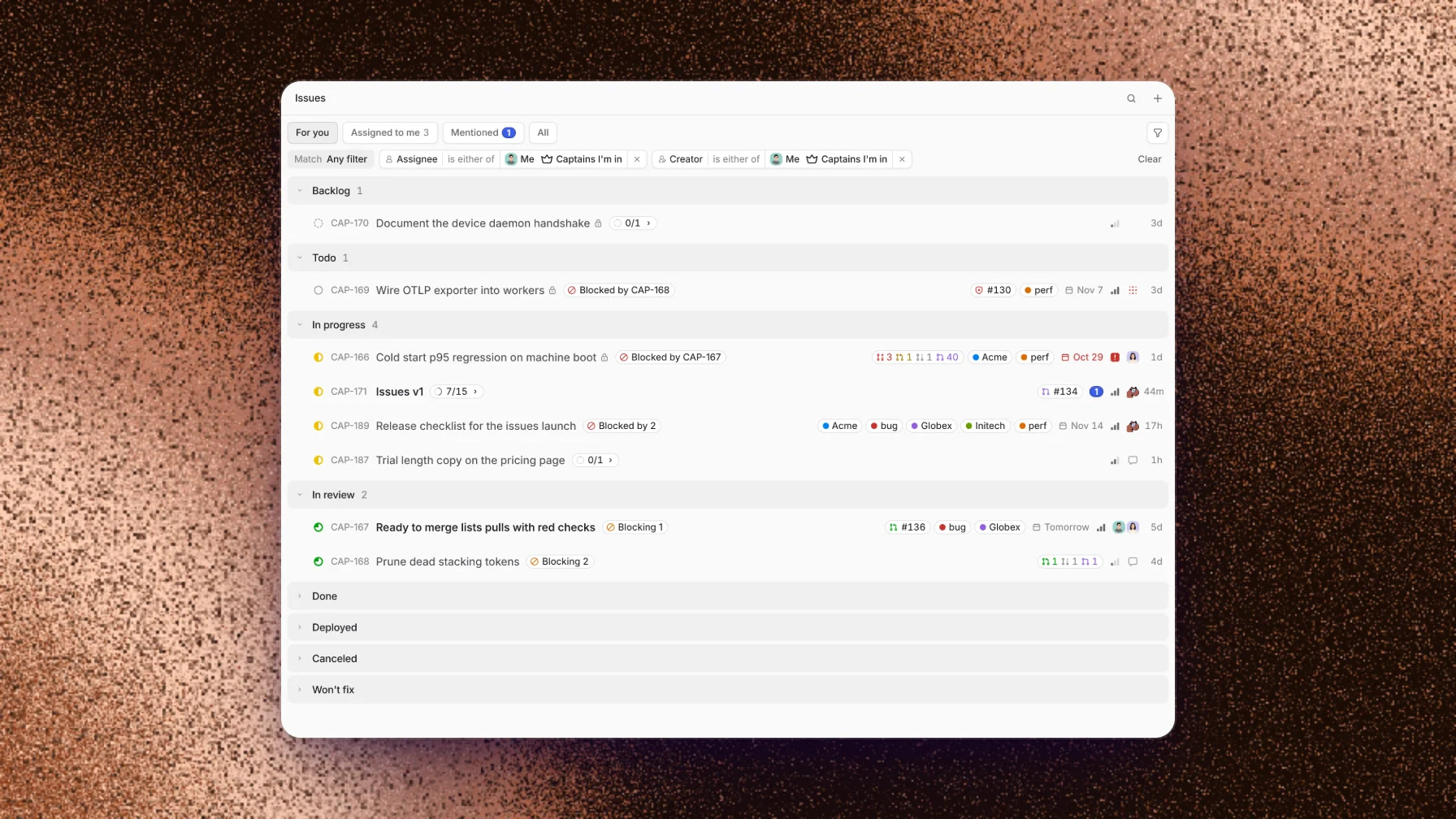
Capy has a built-in issue tracker with For you, Assigned to me and Mentioned views, sub-issues and blocking relations. Captains file and pick up issues there, so you can see what the crew is doing without reading every thread. If your team lives in Linear, delegate a Linear issue to Capy instead.
Review and merge without leaving Capy
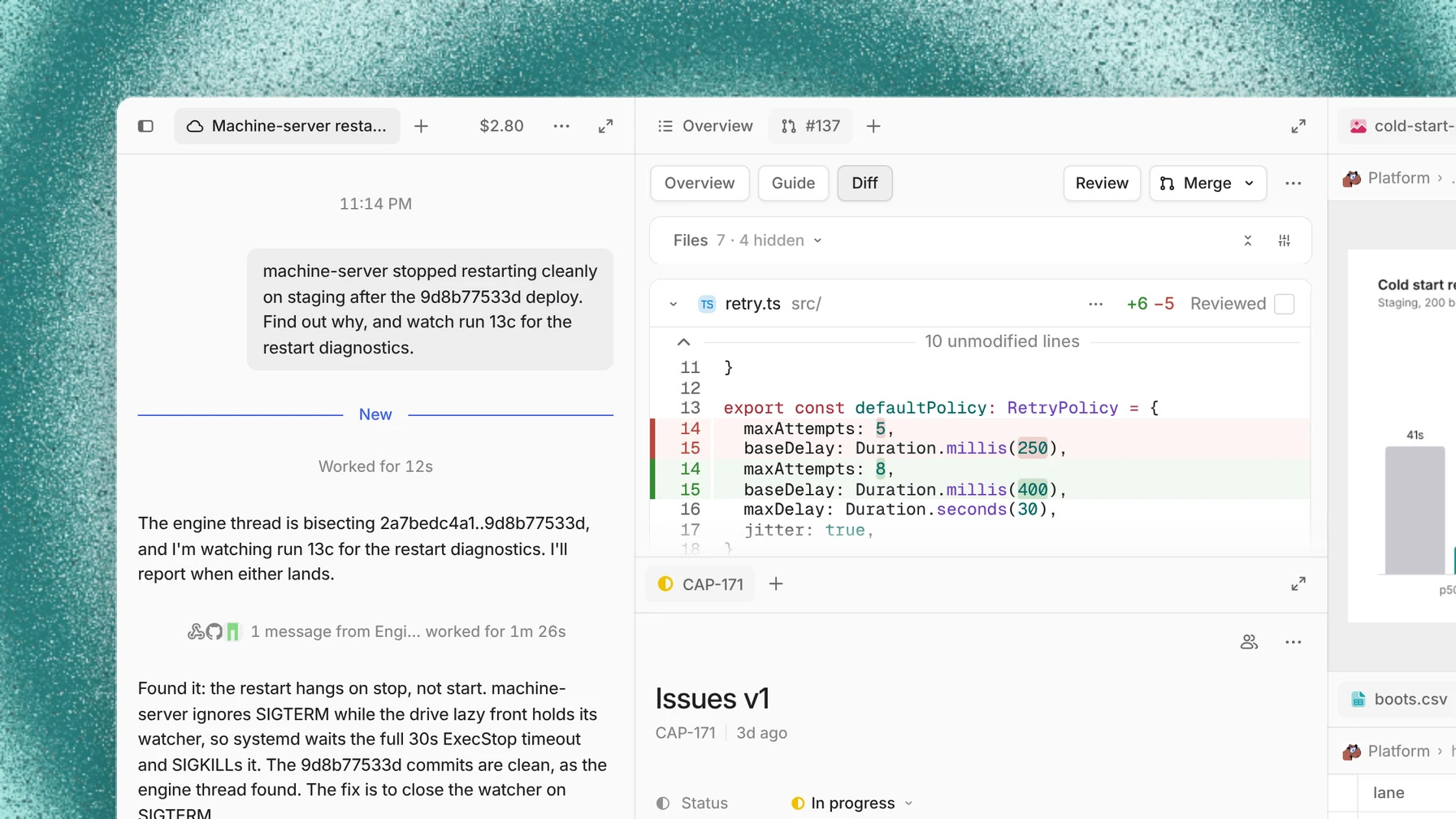
Every PR Capy opens has its own page in the app, next to the thread that wrote it. The Diff tab shows the files with a Reviewed checkbox on each, and the thread stays open beside it, so you can ask "why did you change the retry delay?" and get an answer from the agent that made the change.
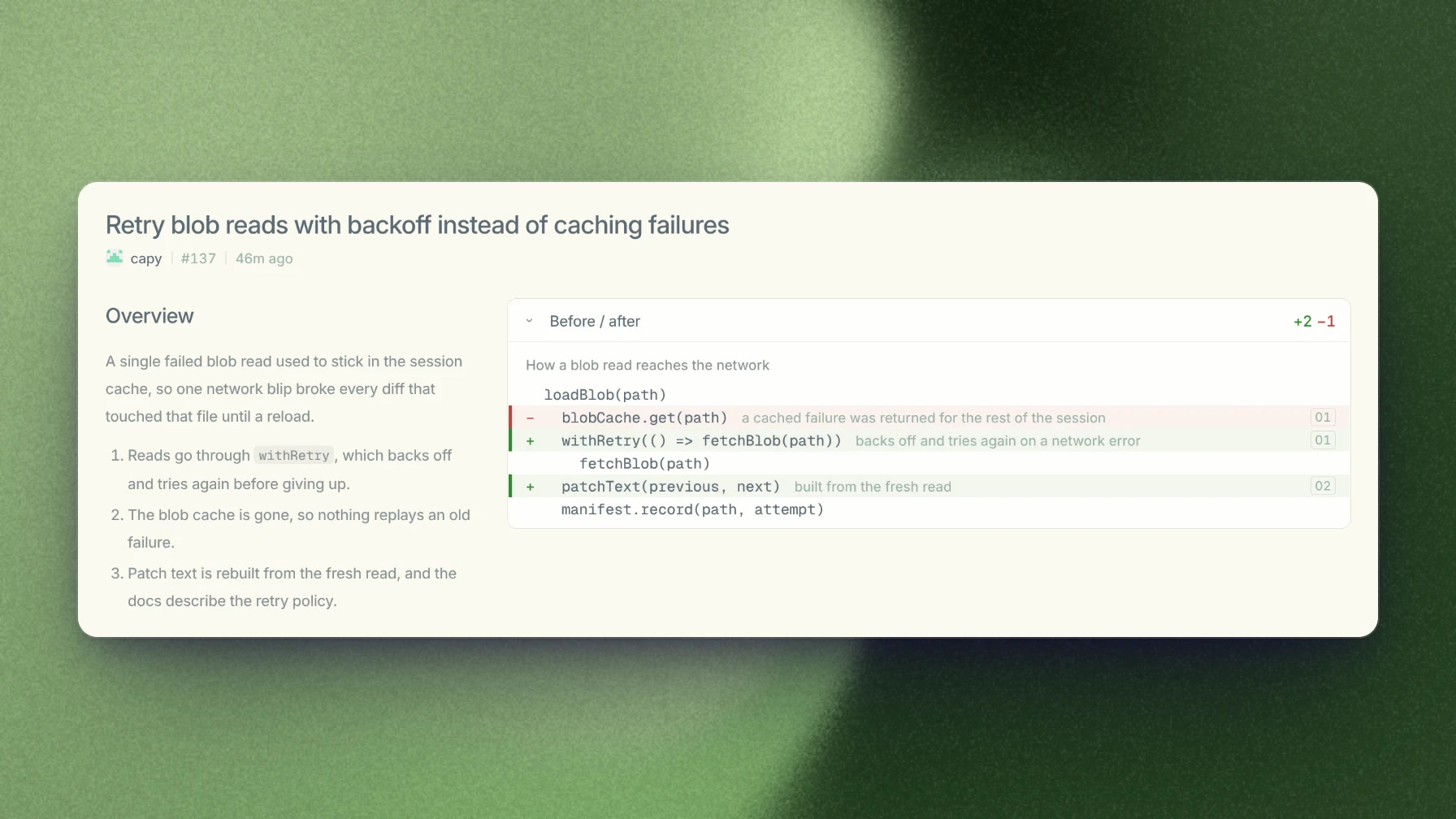
The Guide tab walks you through a PR in reading order, one chapter per change, with the before and after code. It helps most on large PRs, where reading the diff file by file hides why the changes go together.
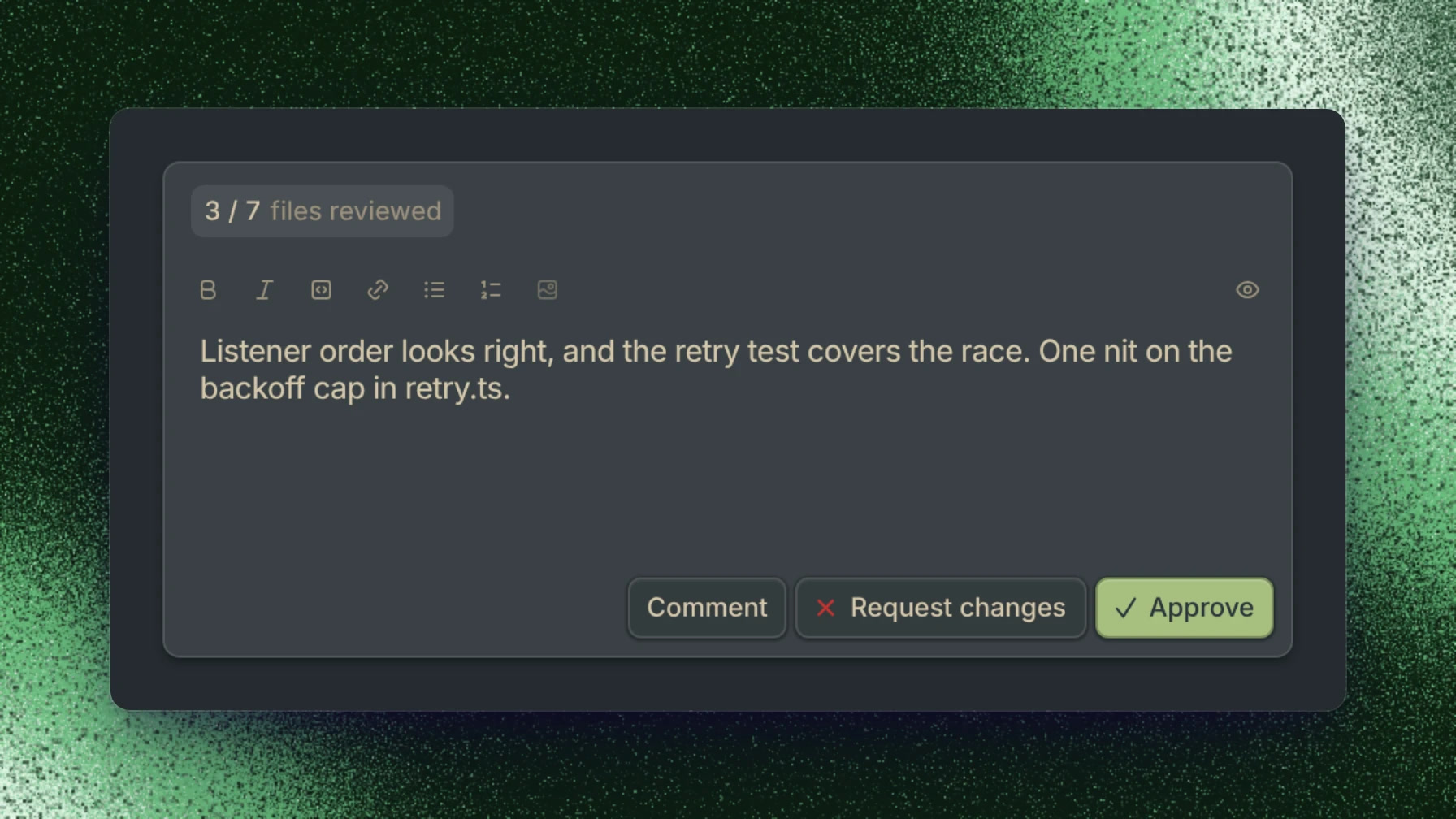
When you're done, Review posts a GitHub review: Comment, Request changes or Approve. Merge offers squash, merge commit and rebase, Enable auto-merge to merge when checks pass, and Force merge. Stacked PRs work too, including GitHub's native stacks.
A few rules keep the agent in check:
- Branches are named
capy/, and Capy never pushes tomain,master,developorrelease/*.
- Capy never merges unless you ask for it in the thread. There's no standing permission to merge.
- In Settings → Capy, you choose what each event does: CI results, human comments, conflicts and review bots can React (wake the thread), Keep as context (read on the next turn) or Ignore.
Capy also has a review agent for any PR, written by people or other agents. It posts inline GitHub comments with a category (Bug, Risk, Maintainability, Refactor) and a severity, by default from Medium up. Turn it on per repo (Off, Once, Every push) or call it with an
@capy review comment. It reads your AGENTS.md and flags code that breaks the rules written there.Run on the cloud, your computer or your own server
Cloud machines
Each project sets a machine size, and setup and dependencies are baked into a snapshot so new threads start ready to run tests. Machines bill by the hour while awake and sleep about 2 minutes after the thread stops working. A sleeping machine costs nothing.
| Size | CPU / RAM | Price per hour |
|---|---|---|
| Small | 1 vCPU / 4 GB | $0.10 |
| Medium | 2 vCPU / 8 GB | $0.20 |
| Large (default) | 4 vCPU / 16 GB | $0.40 |
| Ultra | 8 vCPU / 32 GB | $0.80 |
| Hyper | 16 vCPU / 64 GB | $1.60 |
| Big Guy | 16 vCPU / 128 GB | $3.20, on request |
All machines run in US East (New York). Each thread gets a live preview URL for the app it runs, like
web-3000.preview.capy.ai, and Keep awake 4h holds a machine up while you test.Your own computers
The desktop app for macOS, Windows and Linux pairs your computer as a device. In the composer, Run on picks the cloud, This Mac or another paired machine, and you choose a New worktree, an existing worktree or the current checkout. Local runs use no machine time.
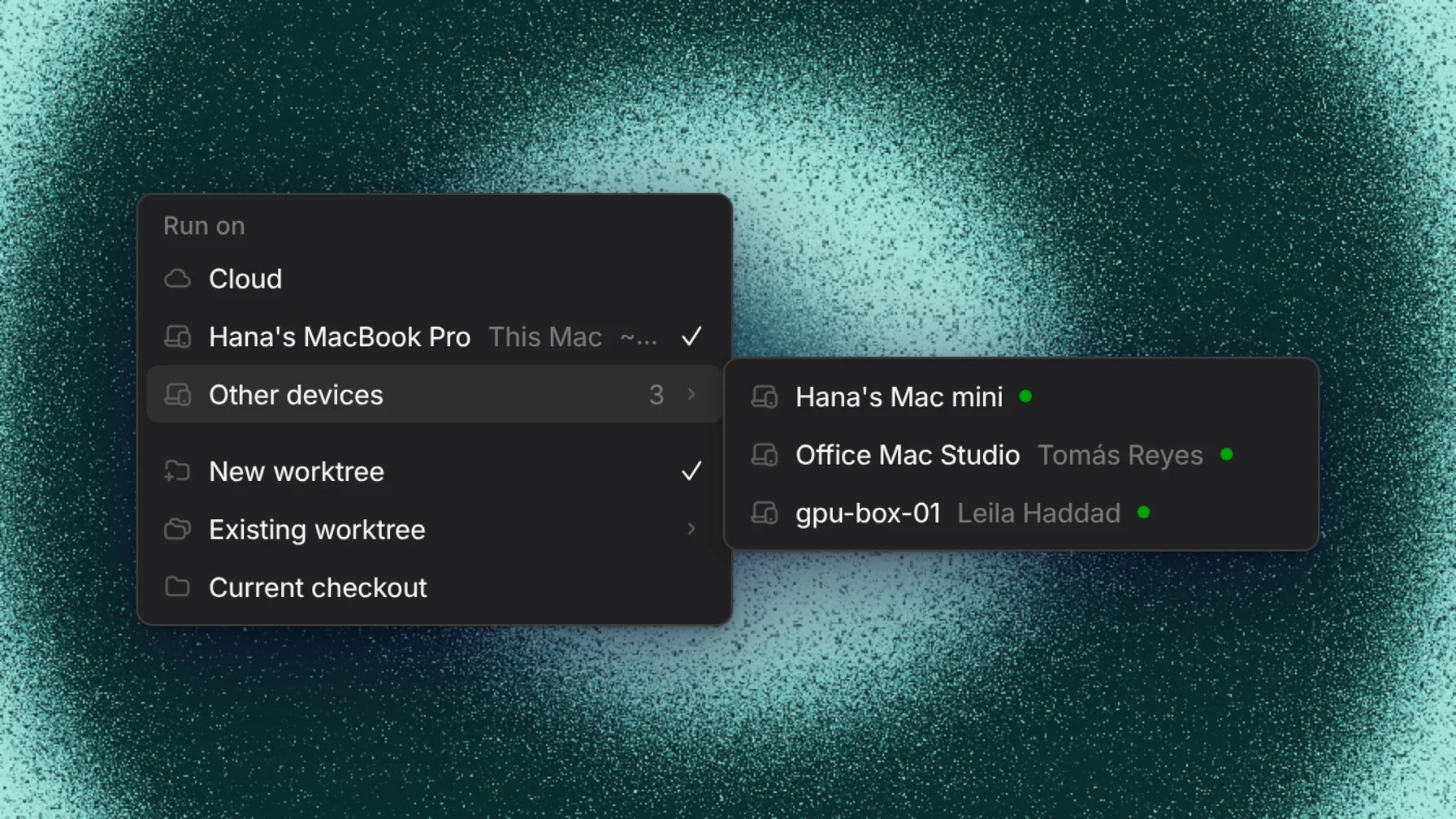
A thread that started on your laptop can Continue on Cloud when you need to close the lid, and come back later. Staged, unstaged and untracked files move with it; gitignored files like
.env stay on your computer. To turn a server or a spare Mac mini into a device without the desktop app, run the headless Dock CLI:Terminal
Loading editor...
curl -fsSL https://downloads.capy.ai/stable/dock/install.sh | sh
capy dock
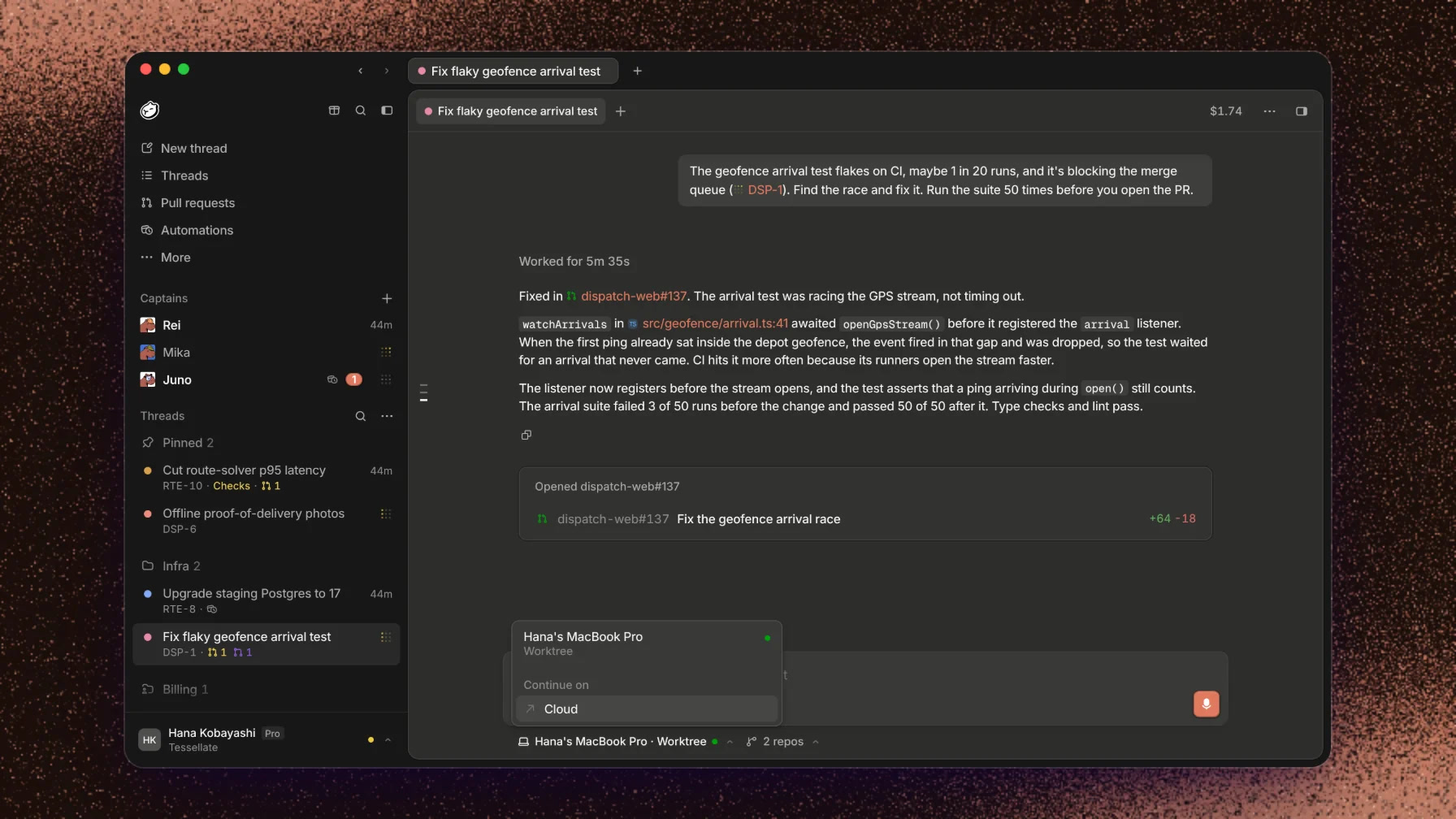
There's no native phone app. Open capy.ai in the phone's browser and add it to the Home Screen to get push notifications when a thread needs you.
Models and subscriptions
The model picker lists about 60 models: Claude (Opus 5.5 is the default), GPT-6 and GPT-5.x, Gemini, Grok, Kimi, GLM, DeepSeek, Qwen and MiniMax. You pick a model per thread, and a subagent can use a different one. On Capy credits, models cost each provider's list price, with no markup.
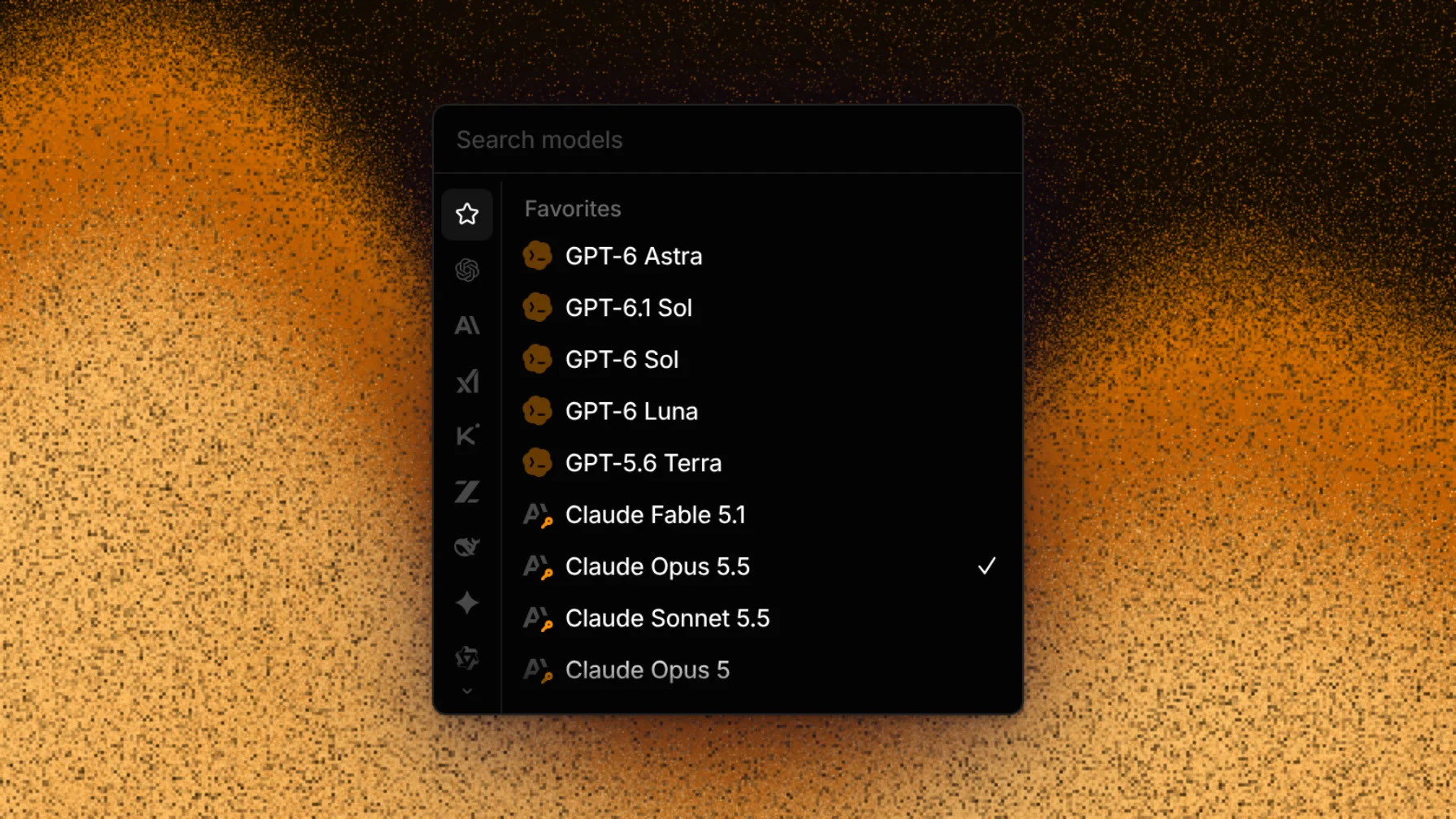
To use a plan you already pay for, open Settings → Models → Add a connection:
- Claude Pro/Max: run
claude setup-tokenand paste the token. These threads run in the Claude Code harness, under the Claude Code tab of the picker, and count against your plan's limits.
- ChatGPT (Codex), GitHub Copilot, SuperGrok: sign in from the same menu.
- API keys and gateways: Anthropic, OpenAI and other provider keys, OpenRouter, Vercel AI Gateway, Cloudflare and Bedrock.
When a subscription runs out mid-task, Capy asks whether to wait for the limit to reset or switch to credits.
💡
A connected subscription pays for the model only. Cloud machine time, reviews and generated images always come out of Capy credits.
Automations, Slack and Linear
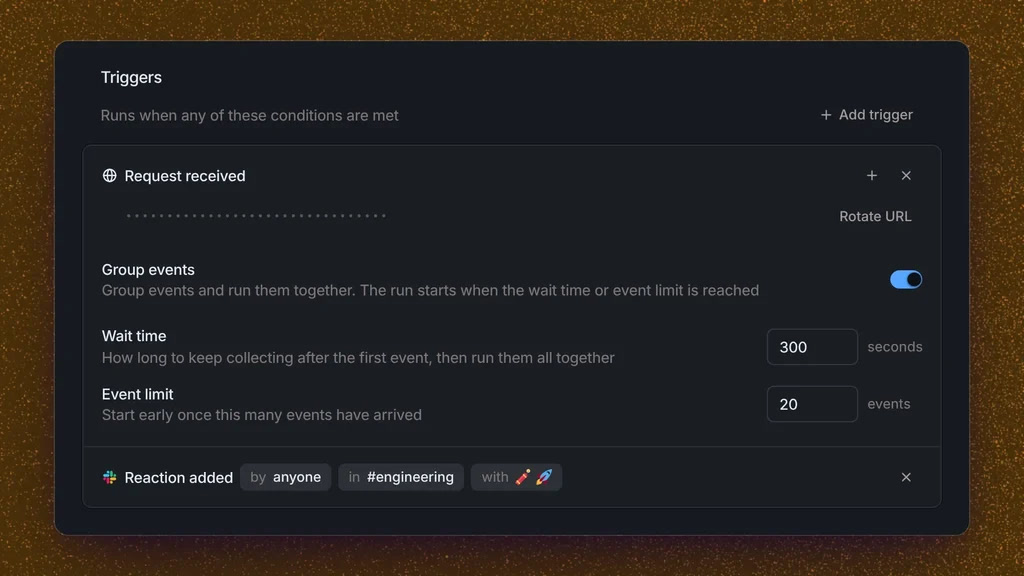
Automations run a prompt on a cron schedule, an incoming webhook, a GitHub event or a Slack event, such as a reaction in a channel. You can group events so a burst of them starts one run, and keep the Slack posts quiet.
Other ways in:
- Slack: mention
@Capyin a thread to start work there, with!steerand!queueto message a running thread.
- Linear: delegate an issue to Capy and it opens an agent session in Linear.
- MCP servers and plugins: add tools to every thread from a plugin marketplace.
- Cloud access: OIDC to AWS, Google Cloud, Azure and Vault, so agents get short-lived credentials instead of stored keys.
- Tailscale for private networks, and Vercel preview links on PRs.
- REST API at
api.capy.ai/api/v1, with streaming, to start threads and Captains from your own tools.
Cloud phones for mobile apps
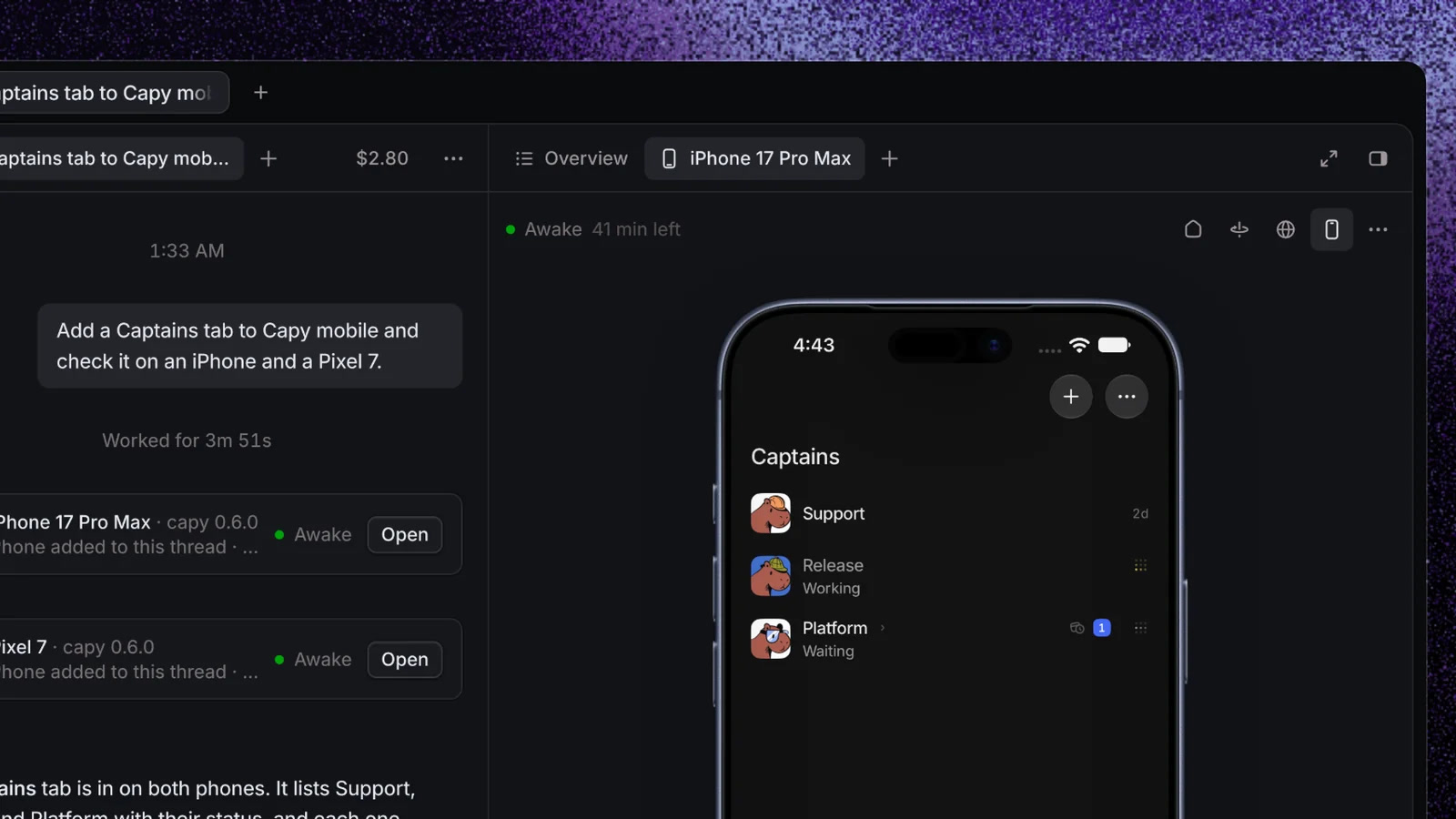
On Pro and above, a thread can attach a cloud iPhone or Android phone through Revyl. Capy builds your app, installs it on the phone, taps through it and reads the logs, and you watch the phone right in the thread. Useful for React Native and native apps, where a cloud Linux machine can't run a simulator. A phone sleeps after 60 minutes.
Pricing
Every plan includes unlimited members and all models. Plans differ in credits, machine sizes and how many machines run at once.
Annual billing takes 20% off. You can also pay as you go from a $5 balance with auto-reload. Unused credits don't roll over. YC companies get $1,000 in credits, and open-source projects can ask for a sponsored allowance. Capy is SOC 2 Type II and doesn't train on your private code.
How to set it up
- Sign in at capy.ai with Google, GitHub or email, or install the desktop app for macOS, Windows or Linux.
- Install the Capy GitHub App and pick the repos it can see.
- Create a project with your repos and click Ask Capy to set up. The agent installs dependencies, finds how to run tests and saves the result as a snapshot, so new threads start ready.
- Add an
AGENTS.mdat the repo root with your rules (Capy falls back toCLAUDE.md). The coding agent and the review agent both read it.
- Optional: connect your Claude, ChatGPT, Copilot or SuperGrok plan in Settings → Models.
- Start a thread with a small, checkable task, like a flaky test, and follow it to the PR.
- Once a few threads go well, set PR events in Settings → Capy, connect Slack or Linear, and try a Captain for a larger feature.
Where it falls short
Capy changes fast. In February 2026 it split work between a read-only Captain planner and a Build agent; in April Build was retired; in August the app was rebuilt around threads; in October Captains came back as orchestrators. Some of Capy's own comparison articles still describe the old flow, so trust the docs and the changelog over older reviews.
Cloud machines are Linux only and US East only, with no SSH access, no swap and no KVM, so Android emulators and multi-node Kubernetes don't run there. Unpushed work is lost if a machine is rebuilt, and a cloud workspace asleep for more than 14 days is cleared. There's no plan mode: ask for "a spec, then wait for my go-ahead" in the message or in your instructions.
Costs have 2 parts. Your subscription or credits pay for the model, and credits always pay for cloud machine time and reviews. A Large machine at $0.40 an hour is cheap per thread, but 20 threads that run CI loops all afternoon add up, so watch the usage page in the first weeks. Independent reviews are still rare; most comparisons online are Capy's own.
Capy alternatives: Codex Cloud, Devin, Cursor and local ADEs
Codex cloud is the closest pick if you're all in on ChatGPT: cloud sandboxes, PRs, and no extra bill on top of your plan, but only OpenAI models. Devin offers the same "hand it a task, get a PR" loop with managed sessions and playbooks. Cursor's cloud agents fit if your team already works in Cursor. Capy's edge is the mix: any model or subscription, a machine per thread, Captains, and review and merge in one app.
If you'd rather keep agents on your own machines, T3 Code runs Claude Code, Codex and others from one window and drives them from your phone, and Herdr does the same in the terminal. Conductor was the popular Mac pick, but Meta bought it in November 2026 and is shutting down its cloud. For a side-by-side of all of them, see Top new agentic IDEs.


Ship faster than your competition
Focus on customers and sales while we handle product delivery. Hire a dedicated AI maker or a whole product team.
Launch new products
Fix your delivery
Hit fundraising milestones


